iRacing
Relative, Standings, Radar and Fuel calculator with iRating, SOF and licence. Starts with the game.
Overlays for iRacing
25 overlays in one program, built for low system load. For iRacing, Le Mans Ultimate and EA SPORTS F1 25.



Animations
Position changes are shown as motion, flags flash like the light panels at the track.
ProWarnings always appear without delay.
Connect
Push an overlay against the edge of another: the edge lights up, and on release both become one panel. This works with any number of overlays, above, below and side by side. Joined overlays adapt to each other.
FreeConnecting is part of the free version.
Performance
The program is built for low load so the frame rate in the game stays stable. It continuously shows its current CPU time and memory use.
Full load · 19 overlays
Layouts
Practice, qualifying, race, garage or spectating: the program detects the session and switches to the matching layout automatically.
ProFree has one layout.
Detected: Race
Colours
Ready-made colour presets for red-green and blue-yellow colour vision deficiency are included, also in the free version. With Pro you choose the colours yourself.
ProCustom colours come with Pro.


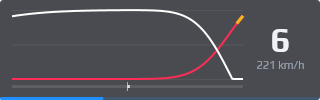
Streaming
The program provides the overlays as a browser source for OBS. Screen and stream can show different overlays in different places.
ProStreaming, Twitch chat, Battle, clips, markers and chat commands come with Pro.


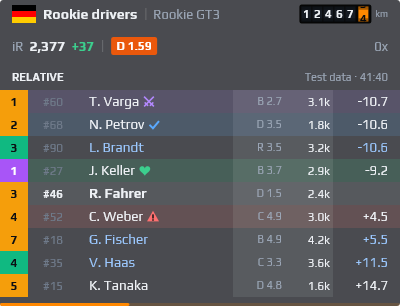
Driver and iRating
Two slim overlays for your own car: name with flag, car and odometer. Plus iRating with its change during the race, licence with safety rating and incidents.
FreeThe history over recent races is part of Pro.
Damage
The overlay shows what is damaged on your car after contact and what the repair costs. Each game provides different values; the overlay shows what is available.
ProThe Damage overlay comes with Pro.

Dashboards
Besides the layouts over the game there are dashboards: overlays in a grid on a solid background. For the monitor below your main screen, the display on your rig or your race engineer on a tablet.
FreeOne dashboard is included in Free, multiple with Pro. Pro overlays in it require Pro.
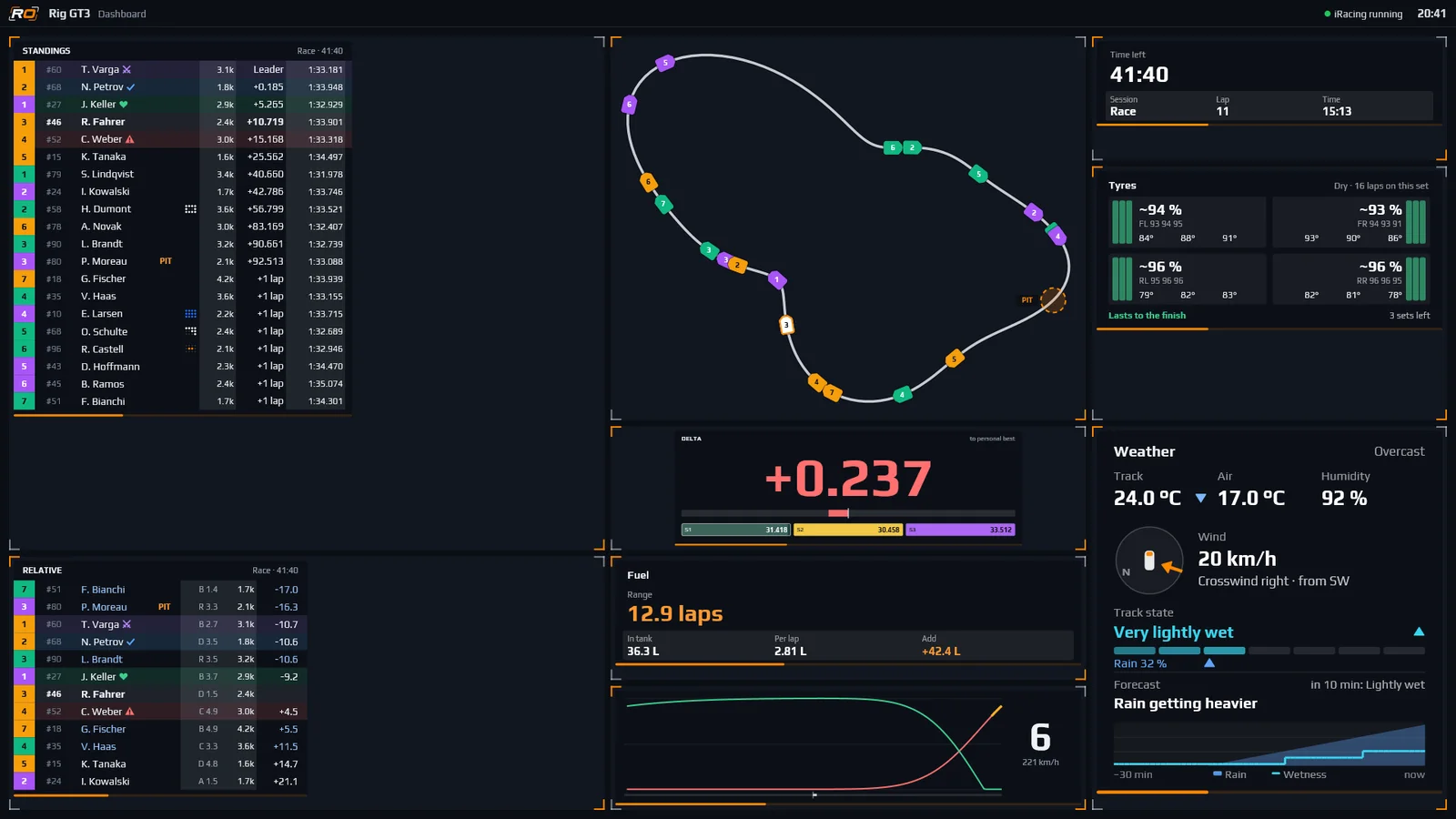
Turn overlays on, move and resize them. On a smartphone, tap and scale with plus and minus. Shown with test data.
Drag movesBottom right corner resizesDel hides
Overlays
You build it the same way in the program, on any monitor.
Download for freeGames
Relative, Standings, Radar and Fuel calculator with iRating, SOF and licence. Starts with the game.
Overlays for iRacingBuilt-in interface without a plugin, class colours for multi-class racing, damage with the damaged areas.
Overlays for Le Mans UltimatePC, PlayStation and Xbox via UDP telemetry, with a guide to the in-game settings.
Overlays for EA SPORTS F1 25Browser source for OBS with a separate stream layout, streamer mode, Twitch chat, clips and chat commands.
Overlays for OBS and Twitch25 overlays
Each overlay can be switched on individually and adjusted in size, content and columns.
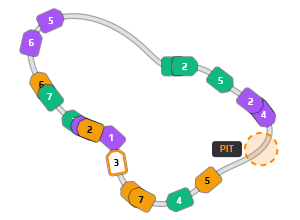
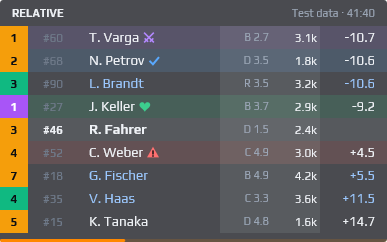
Drivers right ahead of and behind you on track, with gaps
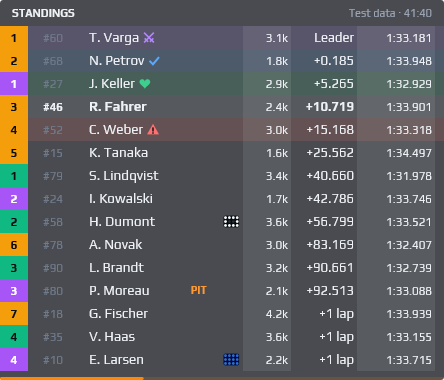
Overall standings with gaps, optionally your own class only
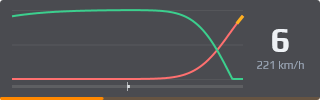
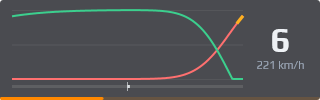
Throttle, brake, clutch and steering as bars or a trace

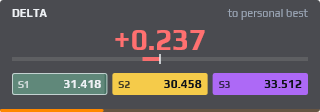
Gap to the reference lap in three styles, with sectors or mini sectors

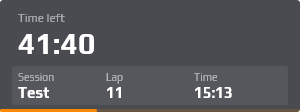
Time or laps remaining, plus selectable values such as series name, position and clock
Shows the current flag in large format

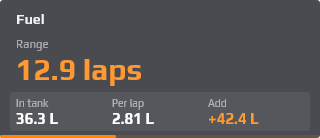
Fuel in the tank, use per lap, range and refuelling

Wear, temperatures and pressure per tire

A warning triangle that lights up when someone is beside you

A light bar at the screen edge, lit exactly where the car beside you is

Cars ahead, behind and beside you from above
The track with every car as a silhouette with its position, built from your first clean lap
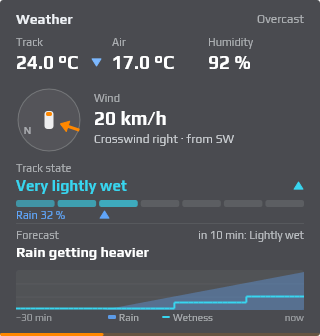
Temperatures, wind relative to your car, track state and trend
Meters to your stall, brake hint, speed against the pit limit
Section of the track around your car with the others' positions, rotates with you

After an off: clear, caution or wait
Where and between whom you come out after your stop

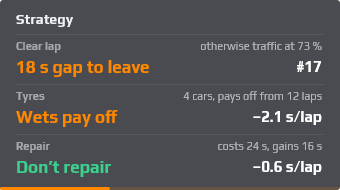
Free lap in qualifying, rain tires and repairs calculated
Repair times, warning lights and, where the game provides them, the damaged areas of the car
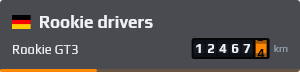
Name with flag, car and an odometer that counts up during the race

iRating with its change during the race, licence with safety rating and incidents

Warns of faster classes and lapping cars with time until they catch you
Chat of your own channel with subs, raids and bits, no Twitch login required
Car on screen with the cars ahead and behind, gap and trend, optionally with mini sectors

Big gear with shift lights, rpm and speed, made for rig displays and dashboards
Versions
Free includes the basic overlays, one layout and one dashboard. Pro adds strategy, pit, tyres, damage, weather, streaming and animations.
An account comes with one month of Pro, no payment details needed. The trial month starts when you confirm your email address and ends on its own. After that, Free applies until you buy Pro. Buying during the trial month costs you no days: the purchased time starts after it.
€0
€4.99 per month
The program
Setup happens in a separate Windows program. The overlays run independently of it and don't need it during a race.
Drag and drop overlays onto your monitors. The preview shows them as they look in the game.
Separate layouts for practice, qualifying, race, garage and spectating. They switch automatically.
The overlays start automatically with the game. The settings program doesn't need to be open.
Ctrl+Shift+O lets you move the overlays directly on top of the game.
The columns in Relative and Standings can be chosen and ordered freely.
Track map and mini map show every car as a silhouette pointing in its direction of travel, with position or car number inside.
The Session overlay shows the series name. The program remembers the name of each series.
The header of Relative and Standings can show the strength of field (SOF).
A column in Relative and Standings: each car's lap time compared with your own last or best lap.
Set per overlay: hide in the garage and in menus whenever you are not in the car. When you get back in, the overlays reappear.
Mark friends, fair rivals and drivers to watch. The marks stay local on your PC.
Overlays in a grid on a solid background: full screen on a second monitor, in their own window or in the browser on a tablet.
German, English, Spanish and Portuguese. Metric or imperial units.
Custom designs
For teams, leagues and streamers we create custom designs with their own accent colour, panels, signature mark and logo. In the program you then pick it like any other design.
Multiple monitors
Overlays can be spread across all monitors, for example standings and fuel on the sides, radar in the middle.

Roadmap
Overlays in your VR headset, placed freely in space.
FAQ
No. It only reads the official telemetry interfaces. The overlays run in their own windows on top of the game.
Not for Free. Pro is tied to an account, which you create here. Members of the Rookie Racing League Hotlap Club then link it to their rookie-racing.eu account in their profile, and Pro applies automatically.
Every account gets one month of Pro free, once per email address. It starts when you confirm your email address; for accounts that are already confirmed, with your next visit to your profile or the program's next check. No payment details are needed, and after the month Free applies again automatically. After that, Pro costs €4.99 a month, €23.99 per half-year or €39.99 a year. If you buy during the trial month, the time you buy starts after the trial month. You get a reminder by email three days before it ends.
The program locks the Pro overlays and Pro features; one layout and one dashboard remain usable. All layouts and dashboards stay saved and are fully back as soon as you have Pro.
iRacing, Le Mans Ultimate and EA SPORTS F1 25.
Le Mans Ultimate support is new. All overlays work; the program reads the game's built-in interface, no plugin needed. Values the game does not provide, such as iRating, licence and incidents, stay empty. Please report bugs via the contact form. More about Le Mans Ultimate
The game sends its telemetry via UDP to the PC running the program. This works on PC and on PlayStation or Xbox. The overlays appear on the PC's screen or in your stream via OBS, not on the TV. In the game, under Settings → Telemetry Settings: UDP telemetry on, port 20777, UDP format 2026, and either UDP broadcast mode on (easiest on a home network) or the PC's IP address. Values the game does not provide, such as iRating, licence and strength of field, are not shown. Fuel is shown in kilograms. Guide for EA SPORTS F1 25
Yes, with Pro. The program provides the overlays as a browser source. Screen and stream can show different overlays in different places. More about OBS and Twitch
With Pro it shows the chat as an overlay. After signing in to Twitch in the program you also get: a clip by hotkey, markers at race events and chat commands that the program answers with live data. More about OBS and Twitch
Yes. Pro may be used in monetised streams, in league broadcasts and for commentary. A Pro licence applies to one person and their account: in a team, each person who uses Pro needs their own account with Pro.
Through Paddle. Paddle is the seller, issues the invoice and handles taxes. You can use any payment method Paddle offers at checkout. Prices include VAT.
Yes, in your account, at any time, effective at the end of the paid period. Pro stays active until then. Within 14 days of your first purchase you get a full refund, no questions asked.
Yes. Every overlay can be placed on any monitor, in the editor or directly on top of the game.
Yes, as a dashboard: overlays in a grid on a solid background, full screen on a monitor, in their own window or in the browser on a tablet or another PC on the same network. The tablet opens it via a QR code, nothing needs to be installed there. One dashboard is included in Free, multiple with Pro.
As little as possible, that is what it is designed for. The overlays run on their own, the settings program can stay closed during a race. The exact load depends on your system and the number of overlays.
Yes. There are colour presets for red-green and blue-yellow deficiency, also in the free version. With Pro every colour can be set individually.
Yes, on request via the contact form. A custom design has its own colours, signature mark and logo, and becomes selectable in the program for the accounts it is shared with.
German and English, plus Spanish and Portuguese (Brazil) as experimental translations.